
K-12 schools
A drawn firearm on campus becomes an alert, not a recording
A district already owns the cameras. Nobody is watching all of them at 2:40pm. Detection puts a rated camera's frame in front of a named person.
Sightlines
Where a firearm is visible
Detection needs the weapon in the frame. On a campus that is usually the approach rather than the classroom.
The parking lot
A weapon carried from a car crosses the lot cameras first. Those are the longest shots on site.
Arrival and dismissal
Two windows a day with the whole school outdoors. Exterior cameras hold their own day thresholds.
The vestibule
Most districts already watch the second set of doors. It is the shortest working distance here.
The corridor
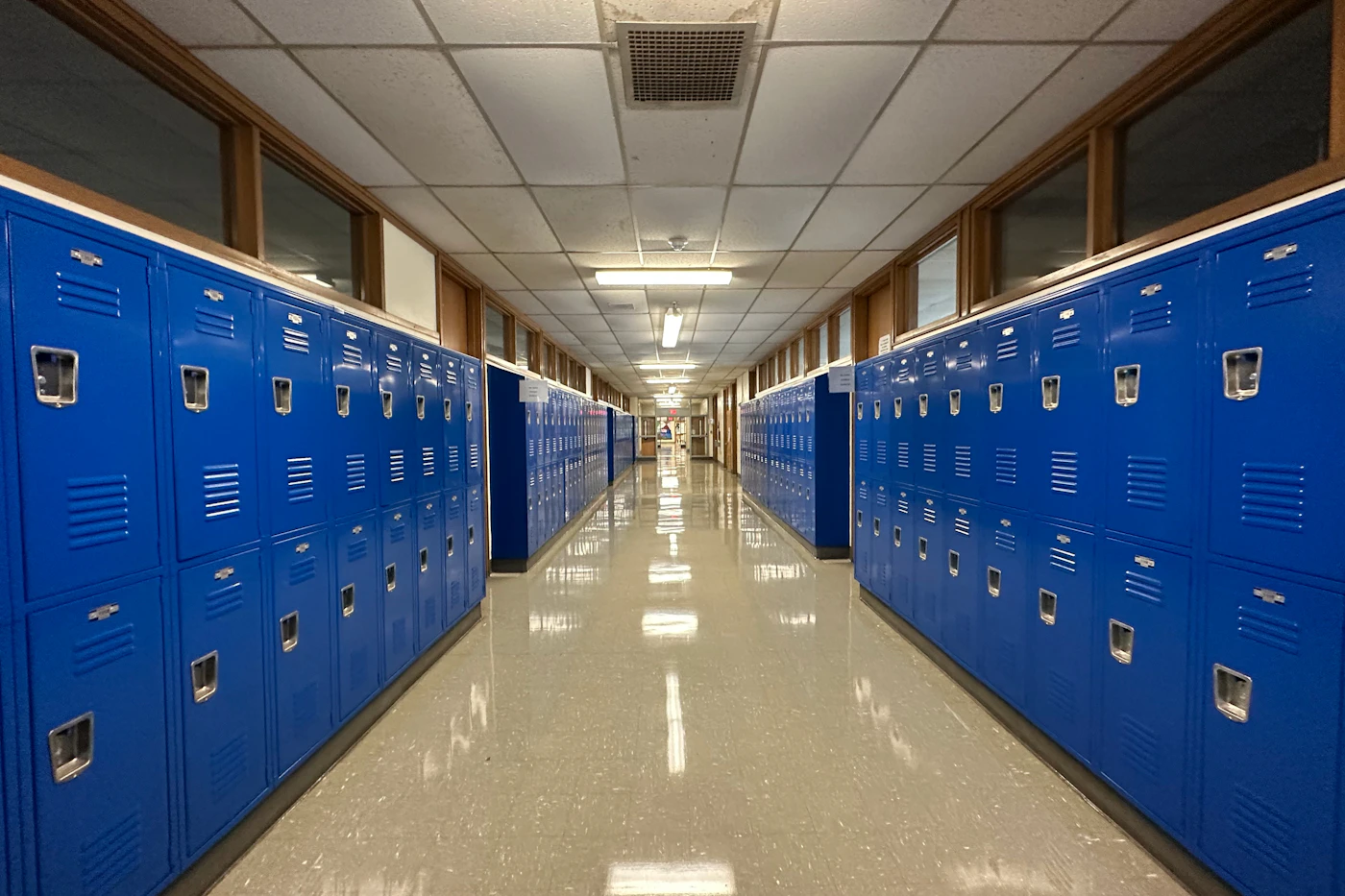
A ceiling camera looks down a long axis. A rifle resolves at the far end where a handgun does not.
Cameras
What is usually already there
Several hundred fixed cameras across a dozen buildings, most of them behind one or two recorders.
Setup rates each one for the weapon classes it resolves at its working distance. A camera that resolves neither is not analysed and not billed.
Behind a recorder
An analogue channel connects fine and often still cannot resolve a handgun. Setup says which.
Rated per class
Every camera is scored for handguns and rifles separately. One that resolves neither is refused.
Refused is not billed
A refused camera is not analysed and never reaches the invoice. Declaring it costs nothing.
Parking lots
Lot cameras run the longest distances on site. Most resolve a rifle where a handgun is out of reach.
Response
The first minutes
Most districts start in direct mode. Named staff, the SRO, and district safety are told together.
You choose the rungs and the order. Nothing reaches an outside agency unless the district sets it up.
01
The roster
Named staff and the SRO are notified on their own phones, with the frame attached.
An alert carries a confidence band, never a percentage.
02
Agent verification
A monitoring agent reviews the camera before anything escalates.
A verification that times out escalates the incident unverified.
03
PA announcement
Fires the connected InformaCast system. An all-clear announcement follows the stand-down.
04
Lockdown
Signals access control to secure doors. A second signal releases them when it is over.
Doors fail secure. No action in this product can unlock one.
05
Data to 911
RapidSOS makes the incident visible to the call-taker for calls from this address.
Reversible. The data is withdrawn on stand-down.
06
The 911 call
Staff open a dial screen with the incident data already attached to it.
A person places the call. This platform never dials 911 itself.
07
Your panic vendor
The incident posts into the panic system the district already runs. Badge buttons stay.
Law enforcement
What an invited agency reads
A district invites an agency by name. The agency then reads the incident directly instead of being described it by phone.
While the incident is open
What the agency account shows
- The frame the alert was raised on, and every other frame on the incident.
- The camera name, where it is on site, and the address dispatch would be given.
- The timeline: what the school did, at what time, under whose name.
- Review itself, where a district delegates it. The agency can confirm or dismiss.
What it never gets
Written into the query, not a policy
- Closed incidents. Agency access ends when the incident does.
- A tour of the campus. There is no browse and no search over stored footage.
- Staff contact details, the roster, or any site setting.
- An unlogged look. Every agency view lands on the school's timeline and the audit log.
An agency is invited per organization and removed the same way. A district can also delegate review to it, or keep review in the front office.
Commitments
What a parent meeting asks
These are product commitments rather than settings. No administrator can switch one of them off.
- No face recognition
- No student or staff member is enrolled. A track lasts one incident and computes no identity.
- Video stays on site
- Streams are analysed on an appliance in your building. Only the cropped frame is uploaded.
- Student privacy
- A data processing agreement with a schools addendum is signed during setup.
- Training consent
- Your video trains nothing until a named person signs for it. Revoking it is one switch.
- Panic button
- Staff hold the button and dispatch gets this site's address. Each state certifies its own way.
- One record
- The audit log is append-only and exports whole. Nothing rewrites a past entry.
The data processing agreement carries the schools addendum, and the capabilities page states the limits in full.
Funding
Who pays for it
Most districts buy this with somebody else's money. These are the programs that fund the work.
School Violence Prevention Program
COPS Office, US Department of Justice
Security equipment and technology on school grounds, including detection.
An individual school cannot apply. The applicant is a district, a city, or a law enforcement agency.
What it pays forStudent Support and Academic Enrichment, Title IV-A
US Department of Education
Safe and supportive school conditions, among several allowed uses.
It is formula money with many claims on it. Ask your business office early, not at the deadline.
What it pays forState school safety grants
Your state education or homeland security agency
Varies by state. Many fund security technology directly.
State deadlines often land months before the federal ones for the same year.
What it pays forSTOP School Violence Program
Bureau of Justice Assistance, US Department of Justice
Training, threat assessment teams, and anonymous reporting systems.
Districts apply here for equipment by mistake. Equipment money is a different program.
What it pays forAn application has to describe what the money buys. You get the camera-by-camera coverage report and an itemised quote before a purchase order exists.
Rollout
How a district starts
One building, rated and calibrated, before the rest of the estate joins it.
01
Rate the cameras
Setup scores every camera for handguns and rifles at its working distance.
A refused camera is not analysed and not billed.
02
Start with one building
One appliance, one site, one roster. The rest of the district joins as further sites.
03
Calibrate on site
The site measures itself against candidate thresholds and produces a recommendation.
An admin applies it. Nothing retunes a site on its own.
04
Run a drill
The report shows who was notified, how long delivery took, and who acknowledged.
A drill never reaches an outside agency.
05
Report the rate
The board reads dismissed alerts per camera per 30 days, measured at your own sites.
Your number, not a vendor's.
Questions
Asked before a board vote
- Does it see a gun in a backpack or under a coat?
- No. A camera cannot see a concealed weapon, and nothing here says otherwise. Detection starts when the firearm is visible in frame.
- Do you use facial recognition?
- No. Nobody is enrolled, and no track is matched to a person between incidents.
- Can grant money pay for this?
- The COPS School Violence Prevention Program funds security equipment. STOP School Violence money cannot buy cameras, and districts apply there by mistake.
- Do you call 911 for us?
- A person on site places the call, or a monitoring agent routes an alarm to your 911 centre. The platform never dials.
- What about a colour guard rifle or an officer's sidearm?
- A suppression window covers named cameras for named hours. Every window has a required end time and a logged reason.
- Do we have to replace our cameras?
- Usually not. Analogue channels behind a recorder often work. Setup states which cameras resolve a firearm and which do not.
- What if nobody opens the alert?
- It escalates on its own timer. A review left unactioned does not sit there.
- Will it catch every firearm?
- No. It reports what the camera resolves at that distance, in that light. A camera that resolves neither weapon class is refused.
Start
Bring one building online
Setup rates the cameras, names the roster, and states what it refuses before anything is billed.
The ladder is yours to configure. Nothing reaches an outside agency unless you set that up, and a review nobody actions escalates on its own timer rather than waiting.
Runs on Schools
The configuration this building uses
A school or district campus. Read the details
Other buildings
11 more, same product
What changes between a plant, a platform, and a lobby. All industries